Collections#
As you work in HumanFirst you can curate any data into collections. Collections are intentional groupings of data that can be added to packages as artifacts in order to provide the context, instructions, knowledge, and data required for the desired behavior.
Overview#
- Creating a Collection
- Browsing Collections
- Adding a Collection to a Package
Creating a Collection#
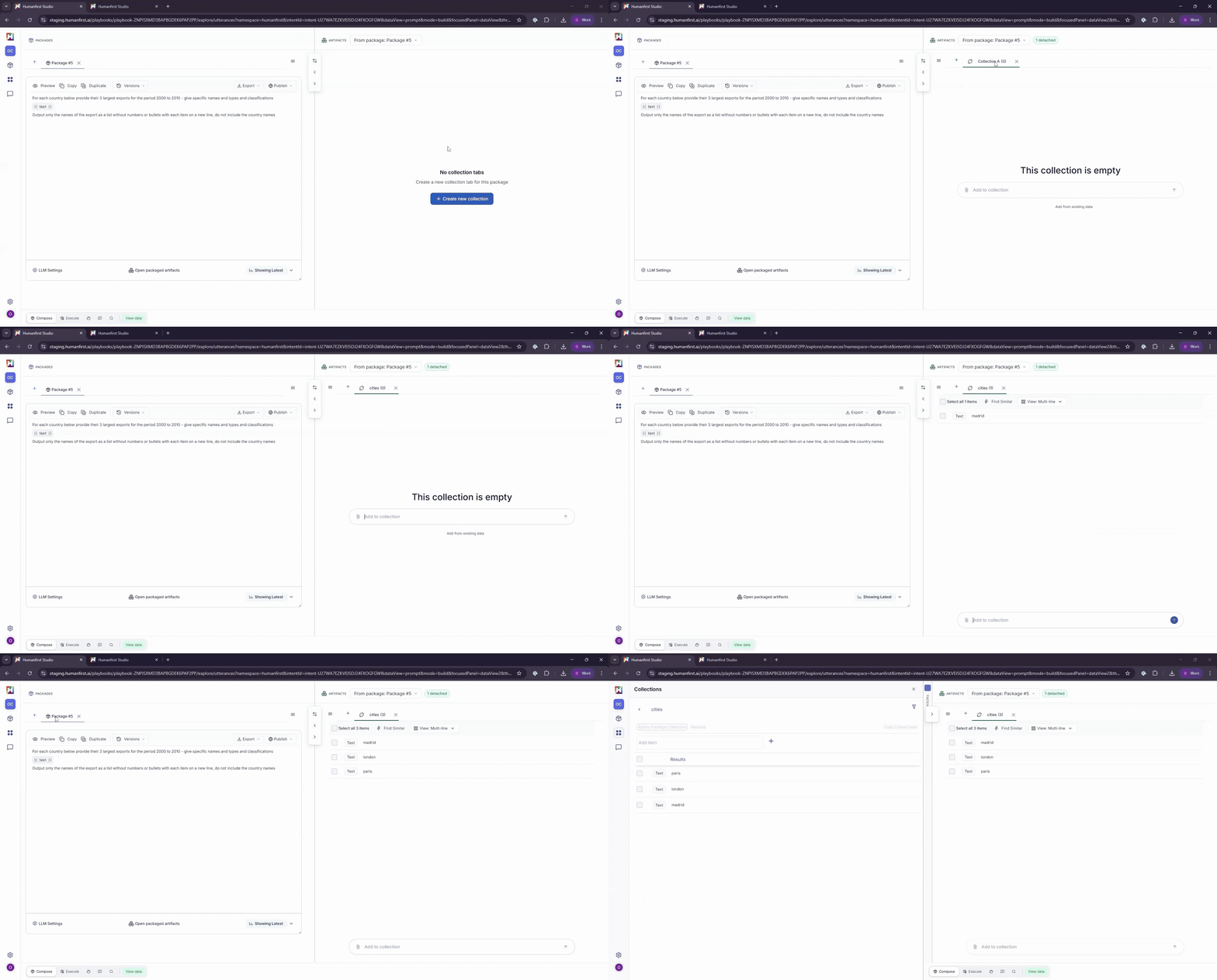
Open the collections panel on the left side menu. Select Add New Collection, name your collection, and open the collection you create.
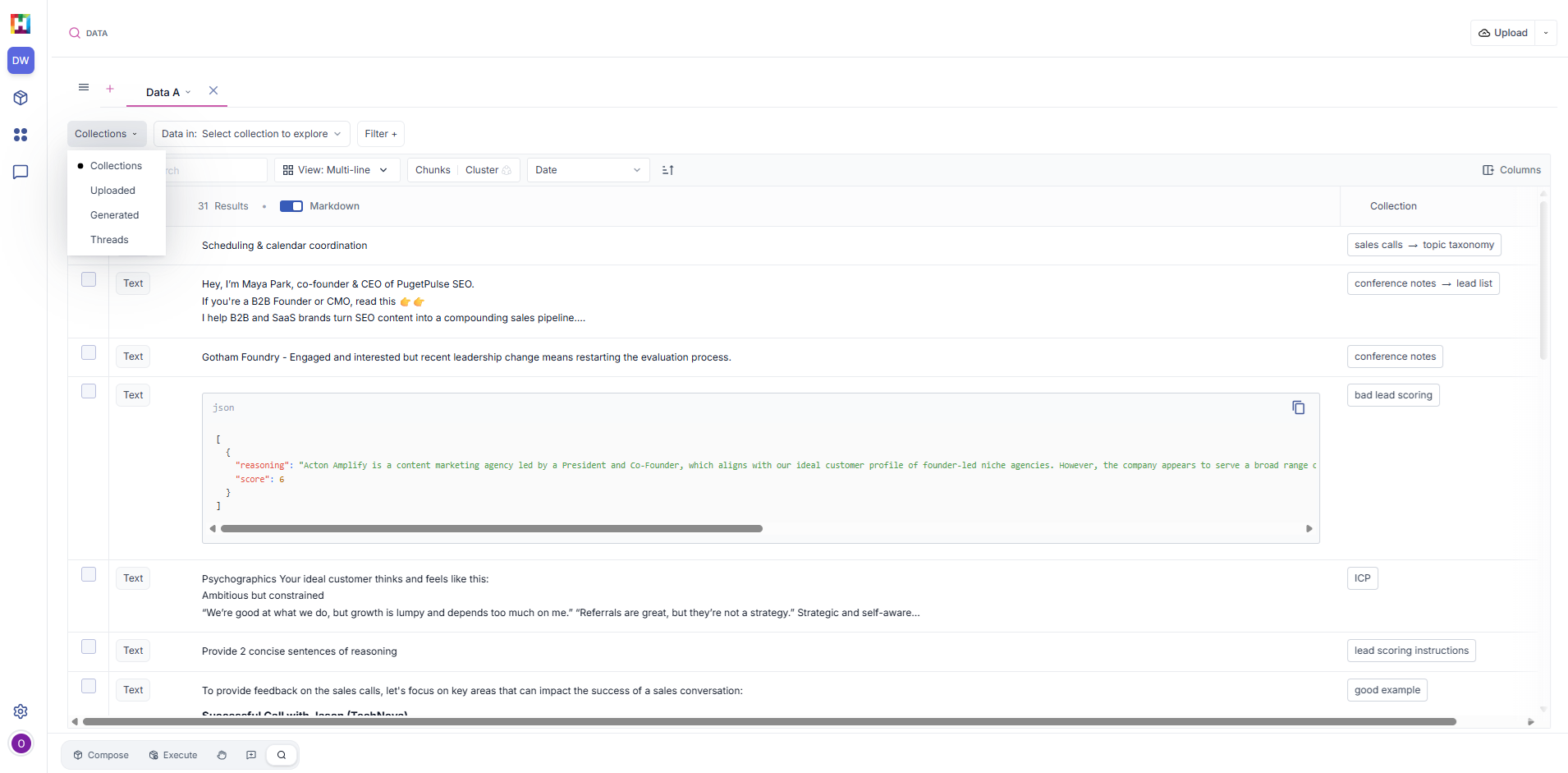
You can add items manually by typing them in-line. Or you can pull in data from your data view by selecting records and clicking “Move items here” in an open collection.
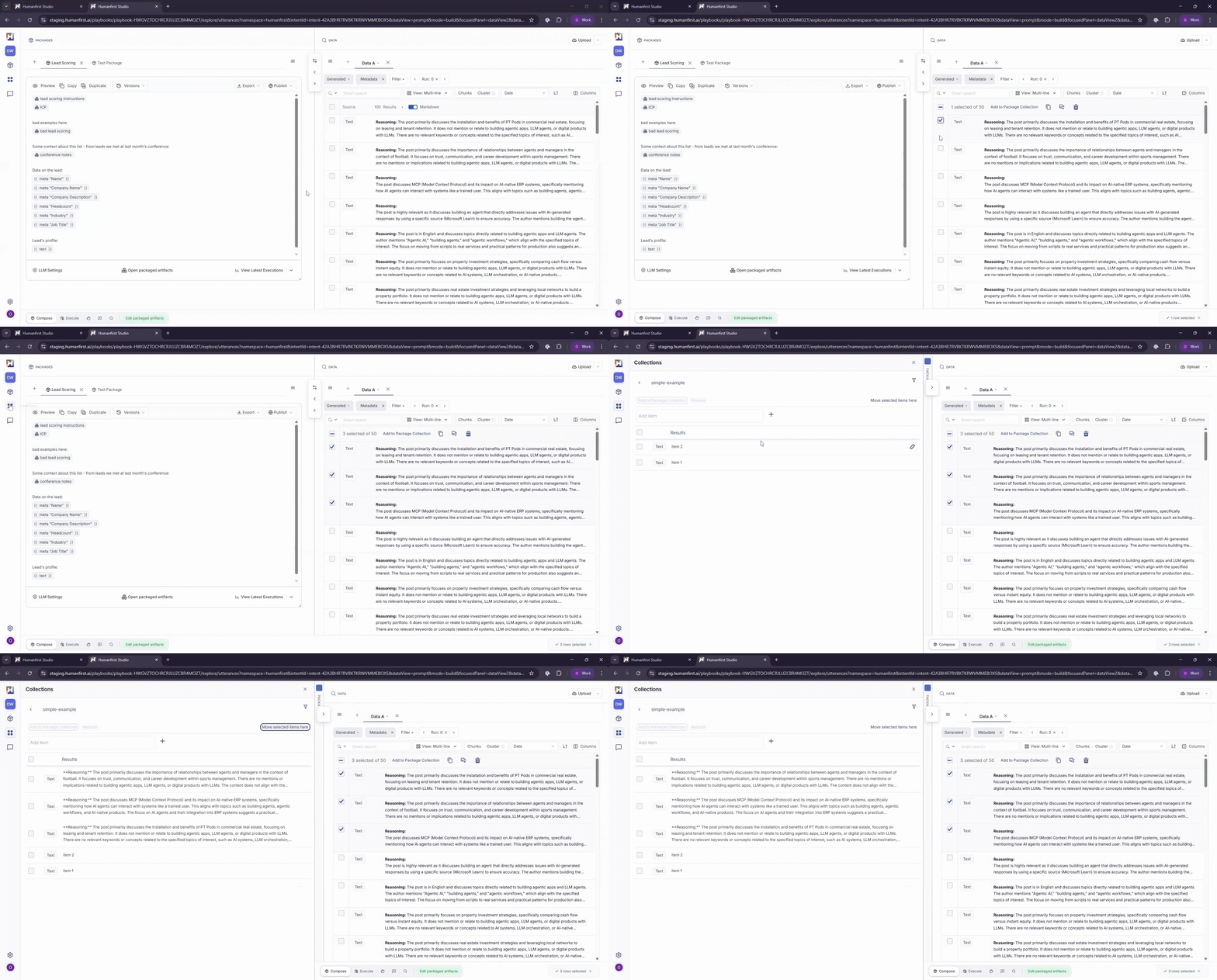
You can organize collections into groups by using the plus icon next to the parent collection name and creating a Nested Collection.
Browsing Collections#
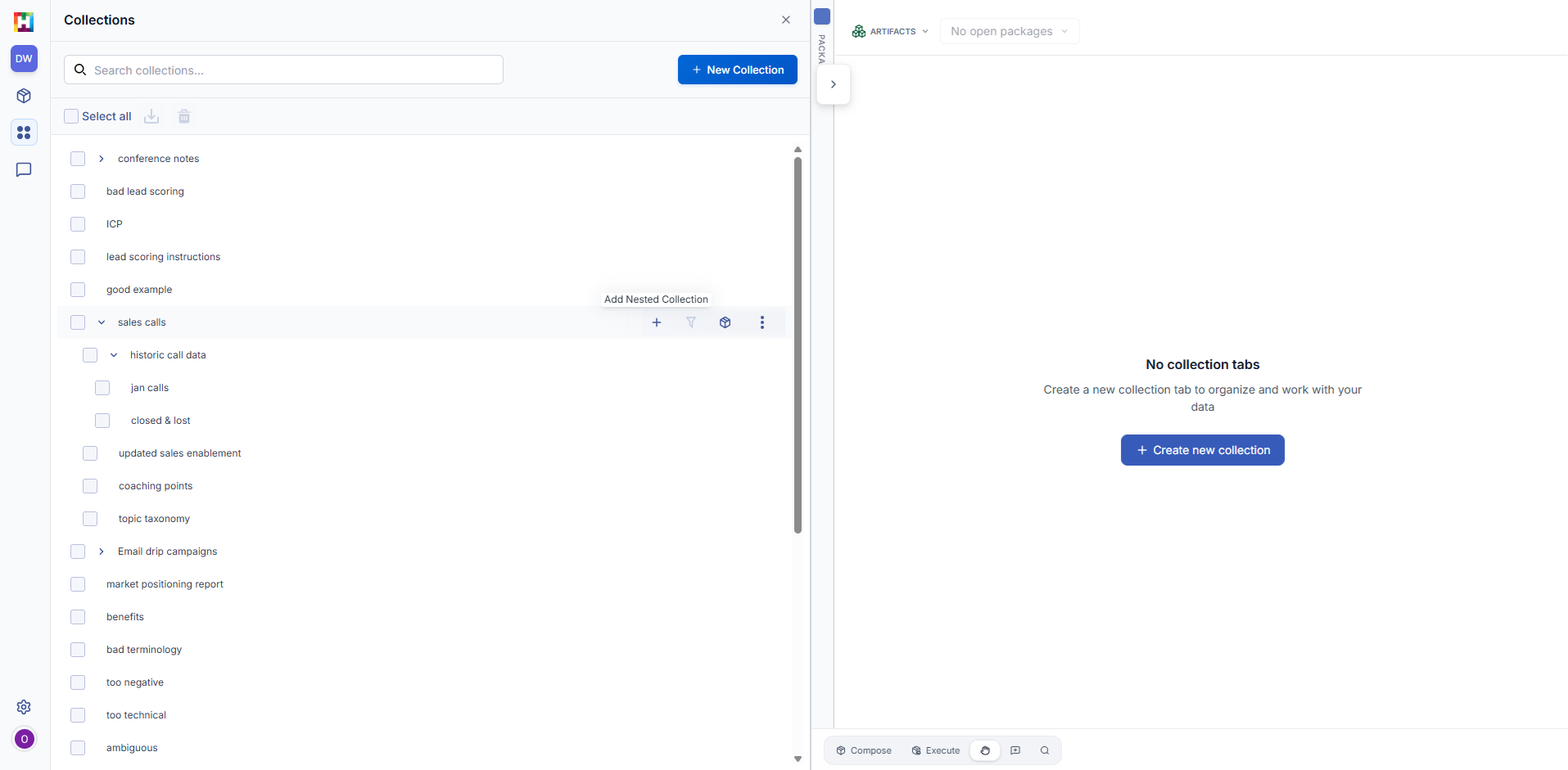
In your data view, create a new tab and set the dropdown to "Collections". Here you can view all data across your collections. You can filter by a specific collection by using the second dropdown.
You can apply all of the search, filtering, and column layout settings within the data view to find specific data in your collections.
Adding a Collection to a Package#
When you're composing a package, you can reference a pre-built collection by typing '@' in the package text editor. A list of collections will appear, and you'll see your selected collection added as an artifact in the Artifacts pane.
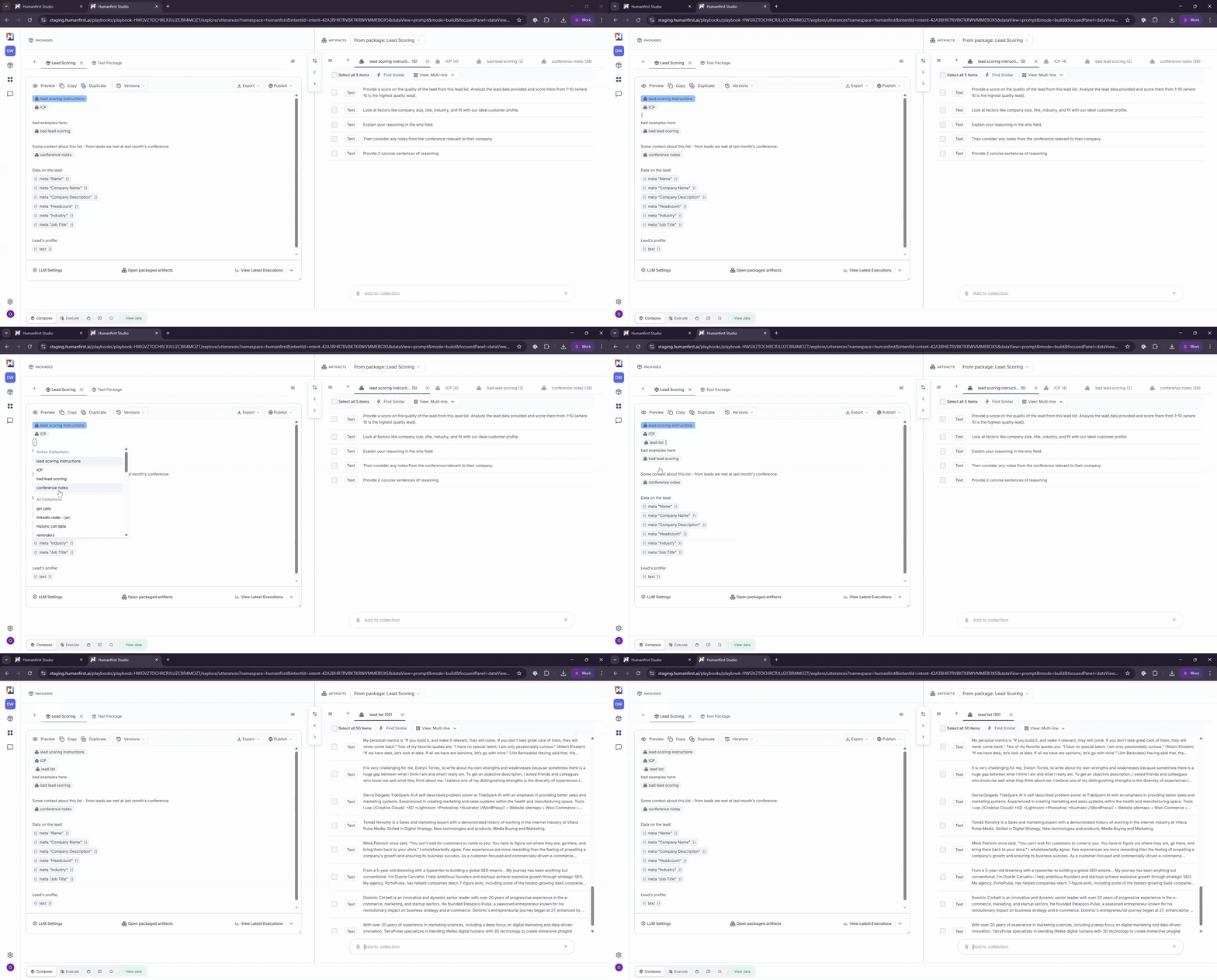
If you're building a new artifact as part of your package, anything added to that artifact will also be stored as a collection in your Collections panel, allowing you to save and reuse it across any other package.
Learn more about composing a package.